ROOFULL External CD DVD +/-RW Drive USB 3.0 Type-C DVD CD ROM Optical Disc Drive Reader Writer Burner Portable DVD Player with Protective Carrying Case for Laptop PC Windows 11/10 Mac MacBook Linux 2 In 1 Drive with Carrying Case
ROOFULL External CD DVD +/-RW Drive USB 3.0 Type-C DVD CD ROM Optical Disc Drive Reader Writer Burner Portable DVD Player with Protective Carrying Case for Laptop PC Windows 11/10 Mac MacBook Linux 2 In 1 Drive with Carrying Case
Original: $125.71
-65%$125.71
$44.00The Story
ROOFULL External CD DVD +/-RW Drive USB 3.0 Type-C DVD CD ROM Optical Disc Drive Reader Writer Burner Portable DVD Player with Protective Carrying Case for Laptop PC Windows 11/10 Mac MacBook Linux
Product Features
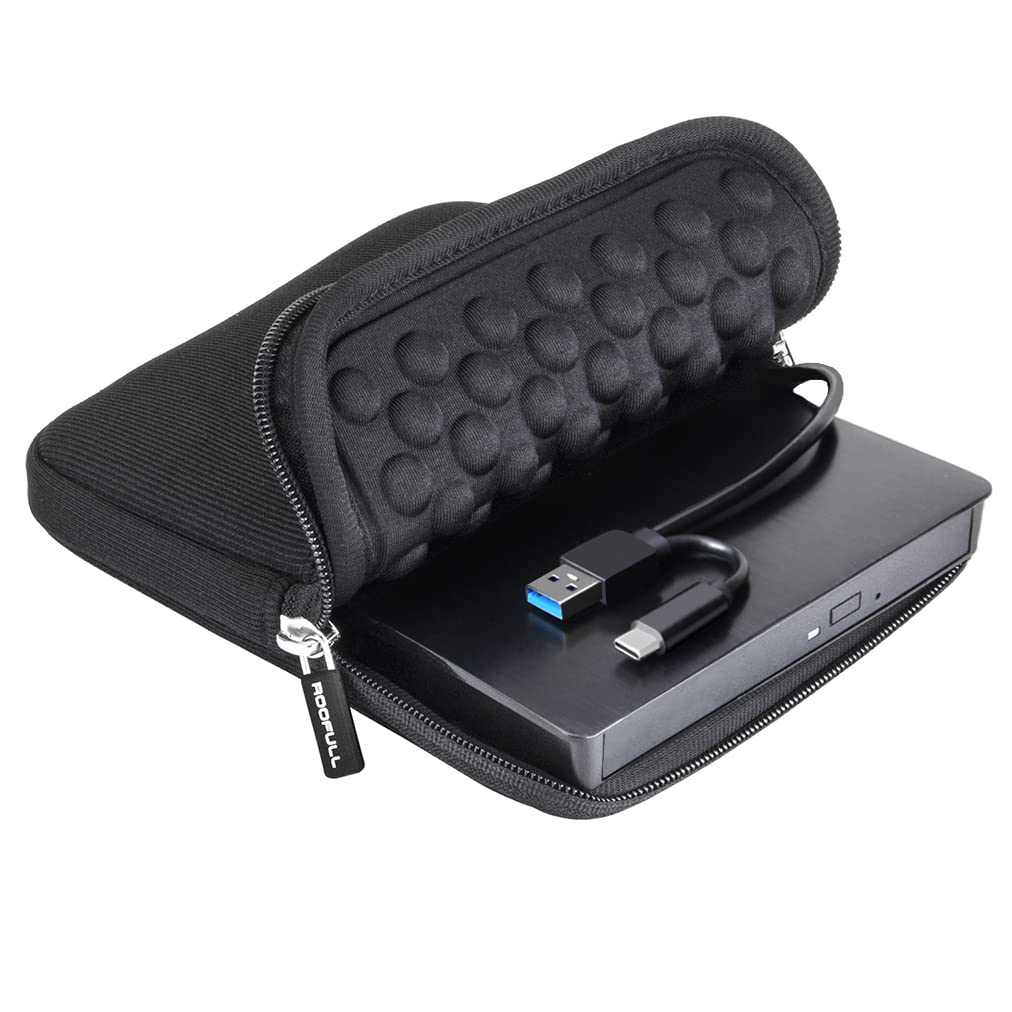
- Time-Tested External CD DVD Drive for Laptop MacSince its launch in 2017, the ROOFULL ECD829-Y has sold over 1 million units worldwide, making it a proven and time-tested choice. If you dont need complicated extensions or unnecessary extras, this simple and durable external CD/DVD drive with a protective case is perfect for playing movie DVDs or music CDs. You can also use it to burn videos, photos, or music to blank discs, copy content from commercial CDs/DVDs, view photo CDs, install software or systems, play game disks, and back up data for long-term storage. Supports all common CD and DVD formats (except Blu-ray & 4K discs)
- Plug & PlayNo driver installation or complicated setup required! Just plug the USB 3.0 type-C data cable (neatly stored on the bottom) into your computer directly or a self-powered USB hub, and it will be recognized automatically (on Mac, a disc icon appears on the desktop once a disc is inserted). You can then use your preferred software to read, burn, or rip discs easily, just like using an internal optical drive. (Scroll down for detailed setup guide and recommended software.)
- High Speed USB 3.0 & Dual ConnectorsEnhanced USB 3.0 technology not only delivers high-speed data transfer up to 5 Gbps (625MB/s) 10 faster than USB 2.0 with DVD 8X and CD 24X max read/write speeds, but also provides stable and reliable performance with strong error correction, noise reduction, smooth operation, and long-lasting durability. Its built-in dual connectors (Type-A & Type-C) make it versatile and easy to use with most laptops or desktops no adapters or hubs needed!
- Wide CompatibilityCompatible with Windows 11/ 10/ 8.1/ 7/ Vista/ XP, most Linux systems, and macOS 10.16 or later. Perfect for Apple MacBook, iMac, Mac mini/Studio, and most Windows laptops, desktops, or all-in-one PCs from brands like HP, Dell, Lenovo, ASUS, LG, Samsung, and Microsoft. For desktops, connect to a rear USB port for stable power. Not compatible with Chromebooks (ChromeOS), iPads/tablets, smartphones, TVs, projectors, vehicles, some Surface models, or Blu-ray/4K discs
- Best Thing to Know Before Buying1 On Mac, the tray button wont eject the disc after playing or burning due to macOS restrictions. Right-click the disc icon on the desktop and select "Eject," or use "File" > "Eject.". 2 Plug and play means no driver installation is required, but software is still needed to play or burn discs

Details & Craftsmanship
Every detail has been carefully considered to bring you the perfect product.

Details & Craftsmanship
Every detail has been carefully considered to bring you the perfect product.

Details & Craftsmanship
Every detail has been carefully considered to bring you the perfect product.

Details & Craftsmanship
Every detail has been carefully considered to bring you the perfect product.

Details & Craftsmanship
Every detail has been carefully considered to bring you the perfect product.

Details & Craftsmanship
Every detail has been carefully considered to bring you the perfect product.

Details & Craftsmanship
Every detail has been carefully considered to bring you the perfect product.

Details & Craftsmanship
Every detail has been carefully considered to bring you the perfect product.
Description
ROOFULL External CD DVD +/-RW Drive USB 3.0 Type-C DVD CD ROM Optical Disc Drive Reader Writer Burner Portable DVD Player with Protective Carrying Case for Laptop PC Windows 11/10 Mac MacBook Linux
Product Features
- Time-Tested External CD DVD Drive for Laptop MacSince its launch in 2017, the ROOFULL ECD829-Y has sold over 1 million units worldwide, making it a proven and time-tested choice. If you dont need complicated extensions or unnecessary extras, this simple and durable external CD/DVD drive with a protective case is perfect for playing movie DVDs or music CDs. You can also use it to burn videos, photos, or music to blank discs, copy content from commercial CDs/DVDs, view photo CDs, install software or systems, play game disks, and back up data for long-term storage. Supports all common CD and DVD formats (except Blu-ray & 4K discs)
- Plug & PlayNo driver installation or complicated setup required! Just plug the USB 3.0 type-C data cable (neatly stored on the bottom) into your computer directly or a self-powered USB hub, and it will be recognized automatically (on Mac, a disc icon appears on the desktop once a disc is inserted). You can then use your preferred software to read, burn, or rip discs easily, just like using an internal optical drive. (Scroll down for detailed setup guide and recommended software.)
- High Speed USB 3.0 & Dual ConnectorsEnhanced USB 3.0 technology not only delivers high-speed data transfer up to 5 Gbps (625MB/s) 10 faster than USB 2.0 with DVD 8X and CD 24X max read/write speeds, but also provides stable and reliable performance with strong error correction, noise reduction, smooth operation, and long-lasting durability. Its built-in dual connectors (Type-A & Type-C) make it versatile and easy to use with most laptops or desktops no adapters or hubs needed!
- Wide CompatibilityCompatible with Windows 11/ 10/ 8.1/ 7/ Vista/ XP, most Linux systems, and macOS 10.16 or later. Perfect for Apple MacBook, iMac, Mac mini/Studio, and most Windows laptops, desktops, or all-in-one PCs from brands like HP, Dell, Lenovo, ASUS, LG, Samsung, and Microsoft. For desktops, connect to a rear USB port for stable power. Not compatible with Chromebooks (ChromeOS), iPads/tablets, smartphones, TVs, projectors, vehicles, some Surface models, or Blu-ray/4K discs
- Best Thing to Know Before Buying1 On Mac, the tray button wont eject the disc after playing or burning due to macOS restrictions. Right-click the disc icon on the desktop and select "Eject," or use "File" > "Eject.". 2 Plug and play means no driver installation is required, but software is still needed to play or burn discs